01
Connect Shopify
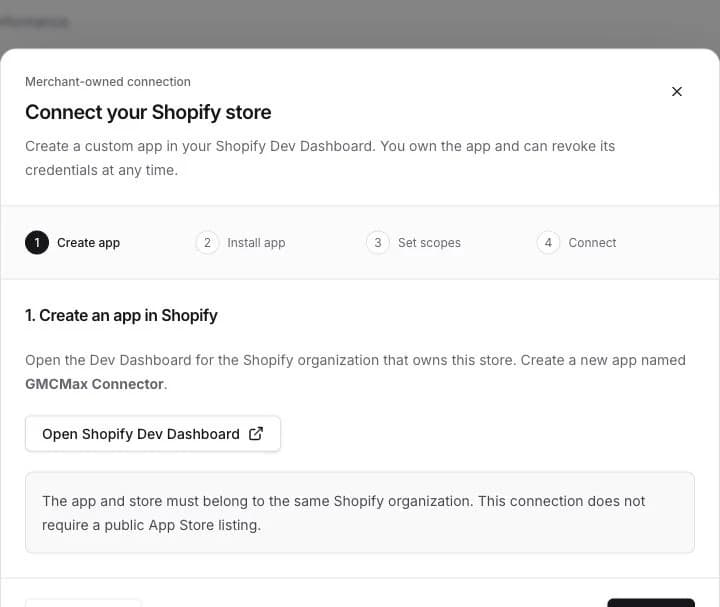
Use the guided setup to connect a merchant-owned app. Import products, variants, costs, and order performance.
See what you spend, what sells, and what needs to stop.
Product-level clarity for your Google Shopping business.
Your store. Your ad account. One clear picture.
From connected to clear
Bring your catalog and advertising together. Keep control of both.
Use the guided setup to connect a merchant-owned app. Import products, variants, costs, and order performance.
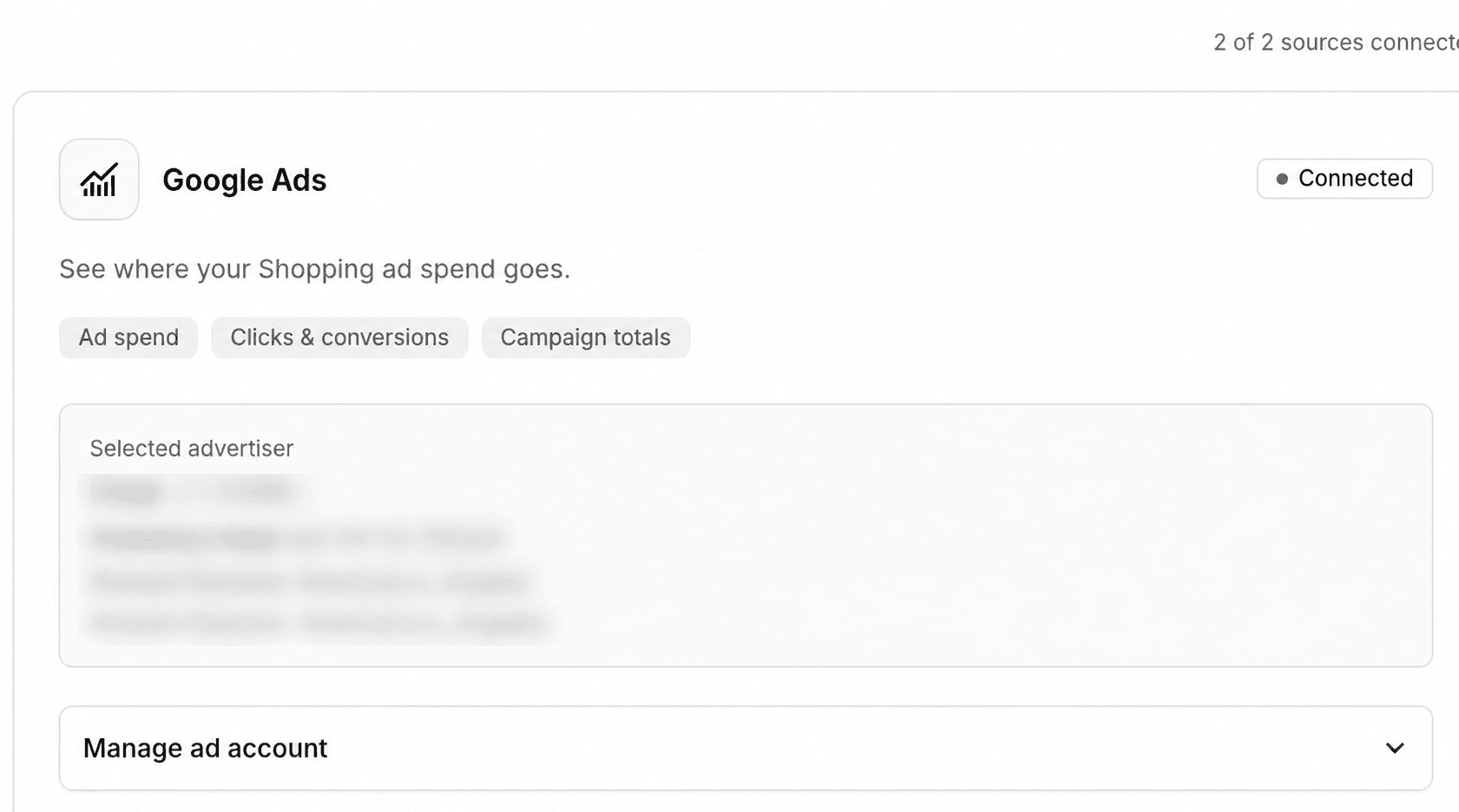
Authorize with Google and choose your advertiser account. Import Shopping offer spend and campaign totals.
Match your products, compare periods, and understand sales alongside spend—with unmatched dollars still visible.
Less guessing. More knowing.
A focused toolkit for the decisions you make every day.
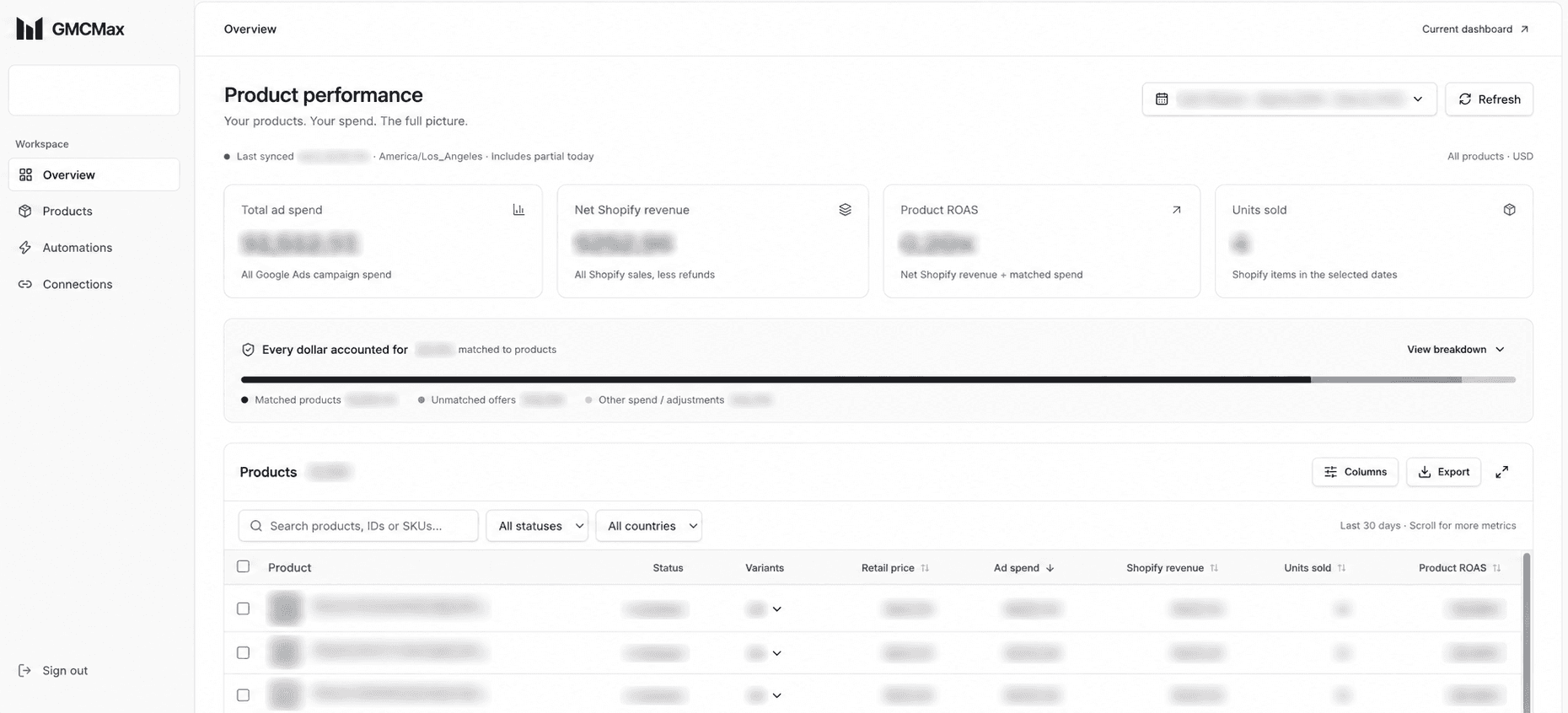
Reconcile total campaign spend with matched products, unmatched offers, and other spend. Nothing disappears because a product could not be matched.
ExploreSee products and variants side by side. Compare sales, ad spend, clicks, conversions, and the metrics that matter to your store.
ExploreChoose today, a rolling window, or a custom range. Compare periods and filter country spend without losing sight of the reporting basis.
ExploreSet an adjustable spend-to-retail-price threshold for products with no sales. Unpublish qualifying products from Google & YouTube while preserving their availability on other channels.
ExploreBuilt around your daily decisions
You shouldn’t need a spreadsheet detective to see which products are using your budget. GMCMax connects the numbers you already have and makes the gaps visible.
Ad-attributed conversions and total Shopify sales are different measurements. We keep the distinction visible. A missing match stays unmatched. A delayed number is not described as real-time.
The GMCMax approachExplore privacy-safe captures of the GMCMax dashboard, connection setup, and automation controls.
Take the product tourStart with clarity
Create an account and connect your store. No card is collected during account creation.
One Shopify store and one selected Google Ads advertiser per workspace.
Create your accountQuestions about pricing or managing multiple stores? Contact GMCMax
Permission, not assumption
Understand the access before you connect.
Google’s authorization flow connects your account without sharing your Google password. Reporting reads spend and performance. Product removal is requested through the Shopify feed, not an instant campaign pause.
You own the custom app. Setup shows the requested read and write scopes. Google & YouTube publishing is controlled through product switches and optional Automations.
Integration credentials are encrypted before database storage. Your workspace keeps your records separate from other merchants.
Disconnect either source to remove its stored credentials. Workspace owners can delete their workspace and active data from Account settings.
Connect Shopify and Google Ads to compare product-level ad spend, Shopify sales, refunds, units sold, and ROAS. Expand variants, choose dates, and see the portion of campaign spend that cannot be matched to a product.
No. Product ROAS divides net Shopify sales by matched Shopping spend. Shopify sales include all channels. Google Ads conversion metrics follow Google’s attribution rules. GMCMax labels these separately so you can compare like with like.
Automatic Google & YouTube unpublishing is optional and off by default. If you activate it in Automations, it unpublishes qualifying products from that channel after sync. Shopify product status and all other channels stay unchanged. You can adjust the percentage or deactivate it at any time. It does not directly pause campaigns or change bids or budgets; feed changes are not instant.
You create a merchant-owned custom app in Shopify, install it on your store, and enter its credentials in GMCMax. The guided setup supplies the app URL and exact permission list. Your Shopify password is never requested.
You can select Today, a preset, or a custom date range and refresh supported dates. Freshness depends on the last successful sync and the source platforms’ reporting delays. Today is a partial day, and conversions can be revised later.
Yes. Compare date ranges and filter Google Shopping spend by country. Country-level Shopify revenue is not currently attributed, so GMCMax does not invent country-specific Shopify ROAS.
GMCMax removes stored integration credentials and stops future collection for that source. Historical reports can remain in your workspace. Workspace owners can delete the workspace and its active data from Settings.
No. GMCMax currently focuses on Shopify and Google Ads. There is no Meta account connection or Meta ad spend in the dashboard.
Make the next dollar count
Bring Shopify and Google Ads into one clear view.